
Introduction
Welcome to Volt Documentation - Your ultra-fast keyboard-driven launcher
Welcome to Volt
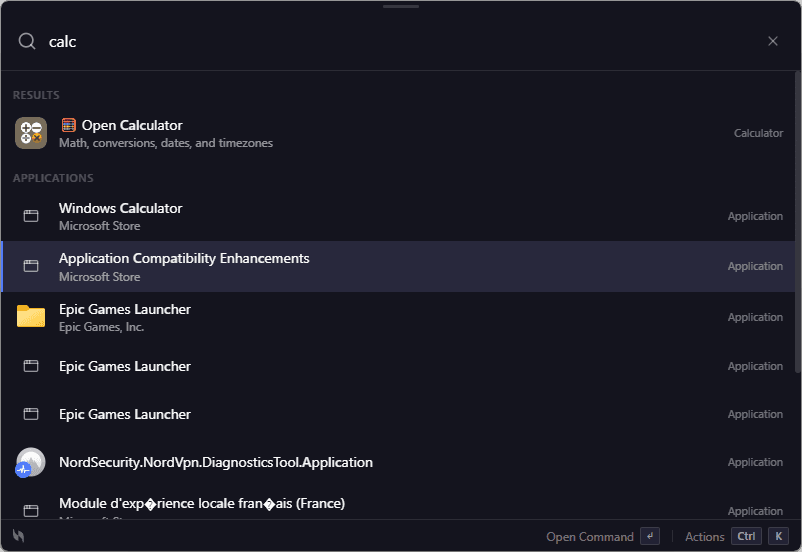
Ultra-fast launcher for power users
Volt v... launches in milliseconds and responds instantly to your commands. Built with Rust for maximum performance.
Volt is an ultra-fast keyboard-driven launcher designed to supercharge your productivity. Built with performance and elegance in mind, Volt is the modern alternative to traditional launchers.
What is Volt?
Volt is a powerful application launcher that allows you to:
🚀 Launch apps instantly
Open any application with just a few keystrokes
🔍 Search everything
Files, apps, commands - find anything instantly
⚡ Execute actions
Perform tasks without touching your mouse
🎨 Customize your workflow
Extend with powerful plugins and extensions
Key Features
⚡ Lightning Fast Performance
Volt launches in milliseconds and responds instantly to your commands. Built with Rust for maximum performance and minimal resource usage.
- Sub-50ms launch time
- Instant fuzzy search with frecency ranking
- SQLite-backed file indexing
- Native Rust backend with Tauri 2
🧩 Extensible Architecture
Extend Volt's capabilities with a rich plugin ecosystem. Create custom commands, integrate with your favorite tools.
- Frontend extensions (TypeScript)
- Backend plugins (Rust)
- Official Extension Store with verified extensions
- Full VoltAPI access (clipboard, events, notifications)
🎨 Beautiful Design
A clean, modern interface that stays out of your way. Dark mode, themes, and customization options.
- Glassmorphism transparent window
- Dark / Light / Auto themes
- Smooth animations
- Multi-monitor support with window positioning
🔒 Privacy First
No telemetry, no tracking. Your data stays on your machine. Built with transparency in mind.
- Zero telemetry
- Local-first architecture
- No data collection
- Full data control
- Hardened auth: CSRF-protected OAuth deep links, JWT claim validation
- Sandboxed extensions: Worker eval/WebSocket/XMLHttpRequest disabled, network SSRF-protected
Quick Start
Get started with Volt in just a few steps:
Download Volt
Download Volt for your platform (Windows, macOS, or Linux)
Install and Launch
Run the installer and follow the setup wizard
Activate Volt
Press Ctrl+Space (Windows/Linux) or Cmd+Space (macOS)
Start Typing!
Type your query and let Volt do the magic ✨
Platform Support
- Windows 10 version 1903+ - Windows 11 (all versions) - 64-bit processor - Download for Windows →
- macOS 12 Monterey+ - Intel & Apple Silicon - Universal binary - Download for macOS →
- Ubuntu 20.04+ - Fedora 36+ - AppImage & .deb available - Download for Linux →
Getting Help
📖 Installation Guide
Step-by-step installation instructions
📚 User Guide
Learn to use Volt effectively
⚡ Built-in Features
14 built-in plugins: calculator, clipboard, games, snippets, AI Chat, notes, window mgmt, and more
♿ Accessibility
WCAG AA, keyboard-only workflows, screen reader support
🧩 Extension Development
Build sandboxed extensions with TypeScript & the VoltAPI
🐛 GitHub Issues
Report bugs or request features
Ready to boost your productivity?
Download Volt now and experience the future of keyboard-driven productivity!